Registering for a New Account
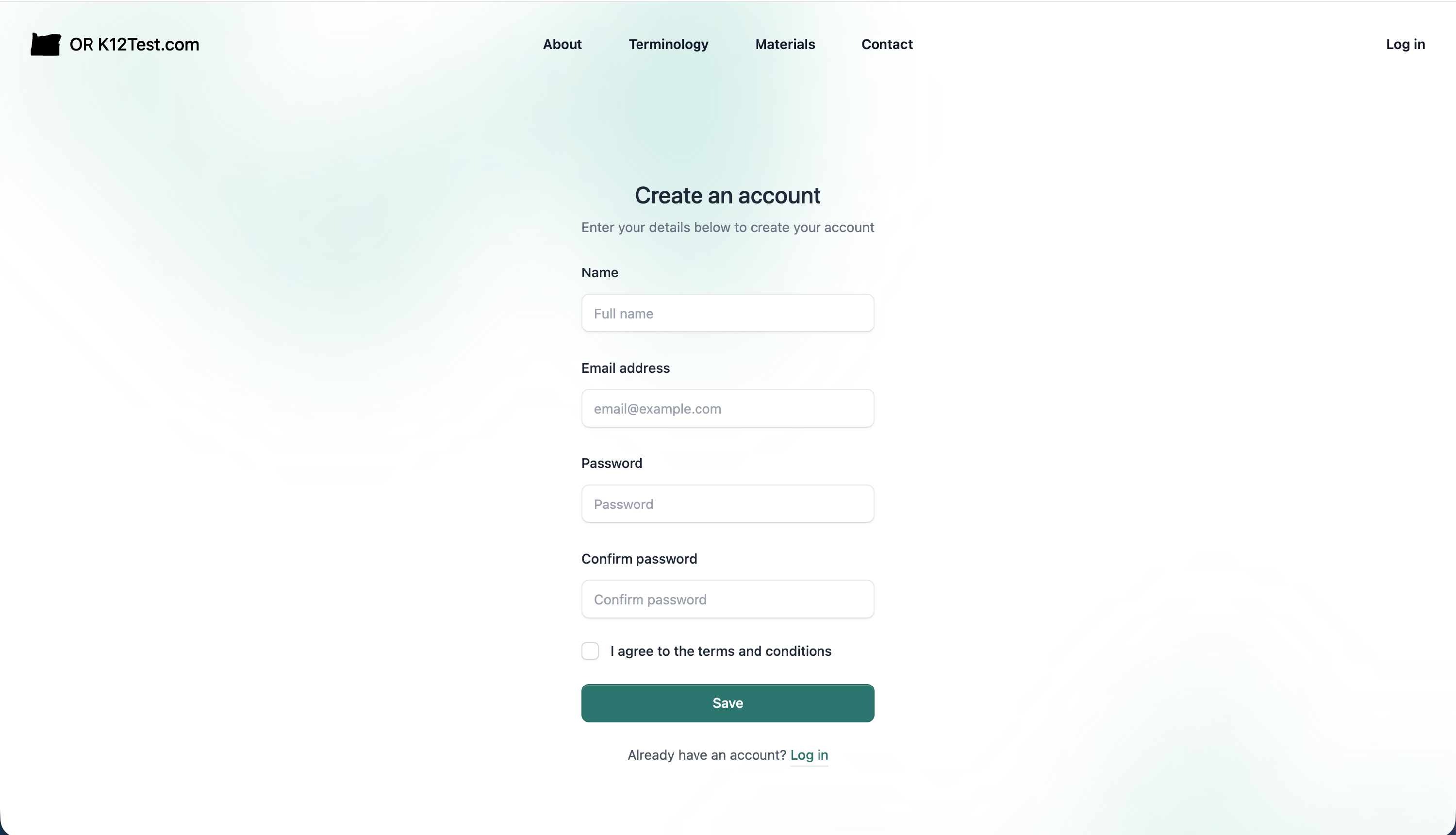
To create an account:
- Go to or.k12test.com
- click 'Create New Account'
- Enter email address
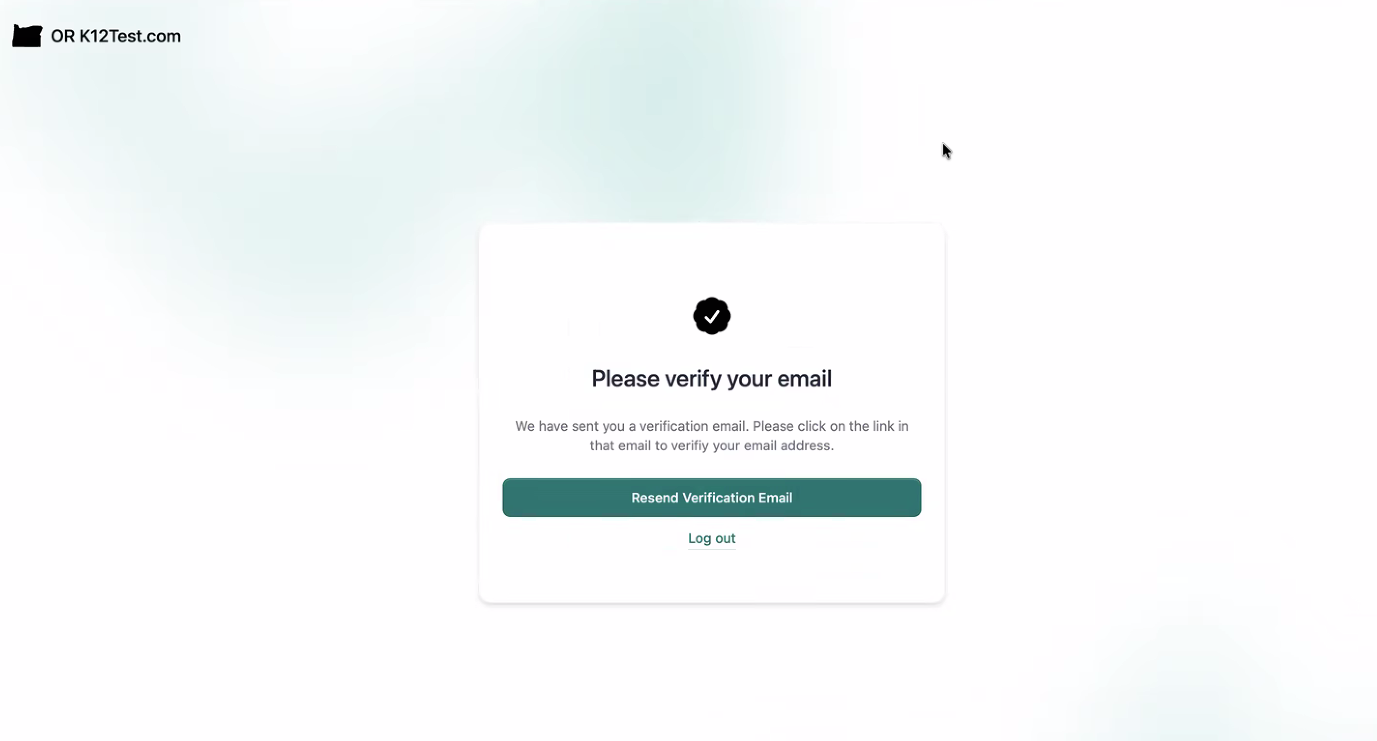
- Confirmation link will be sent to email address to continue registration
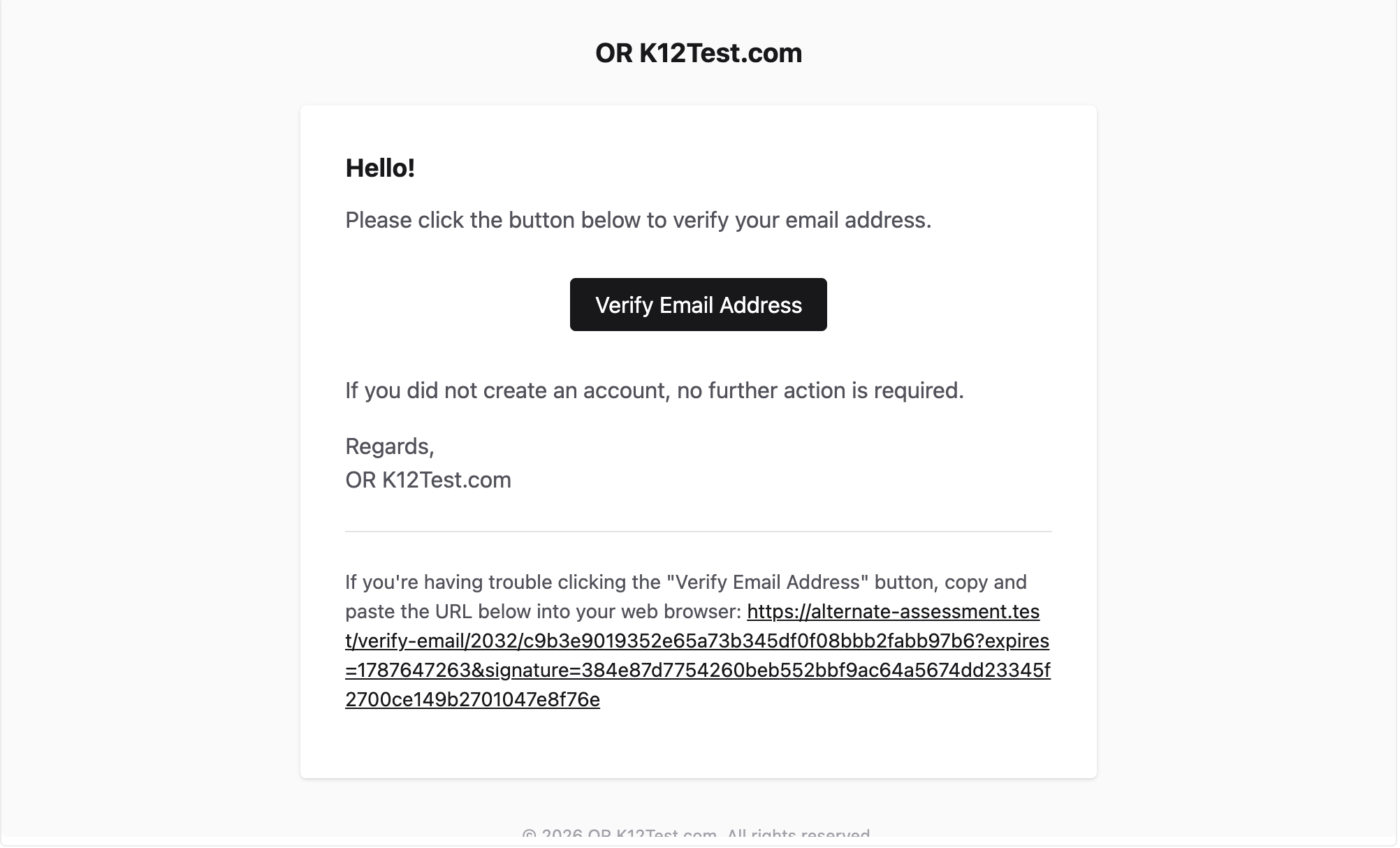
- Check email and click on confirmation link sent from orextended@k12test.com
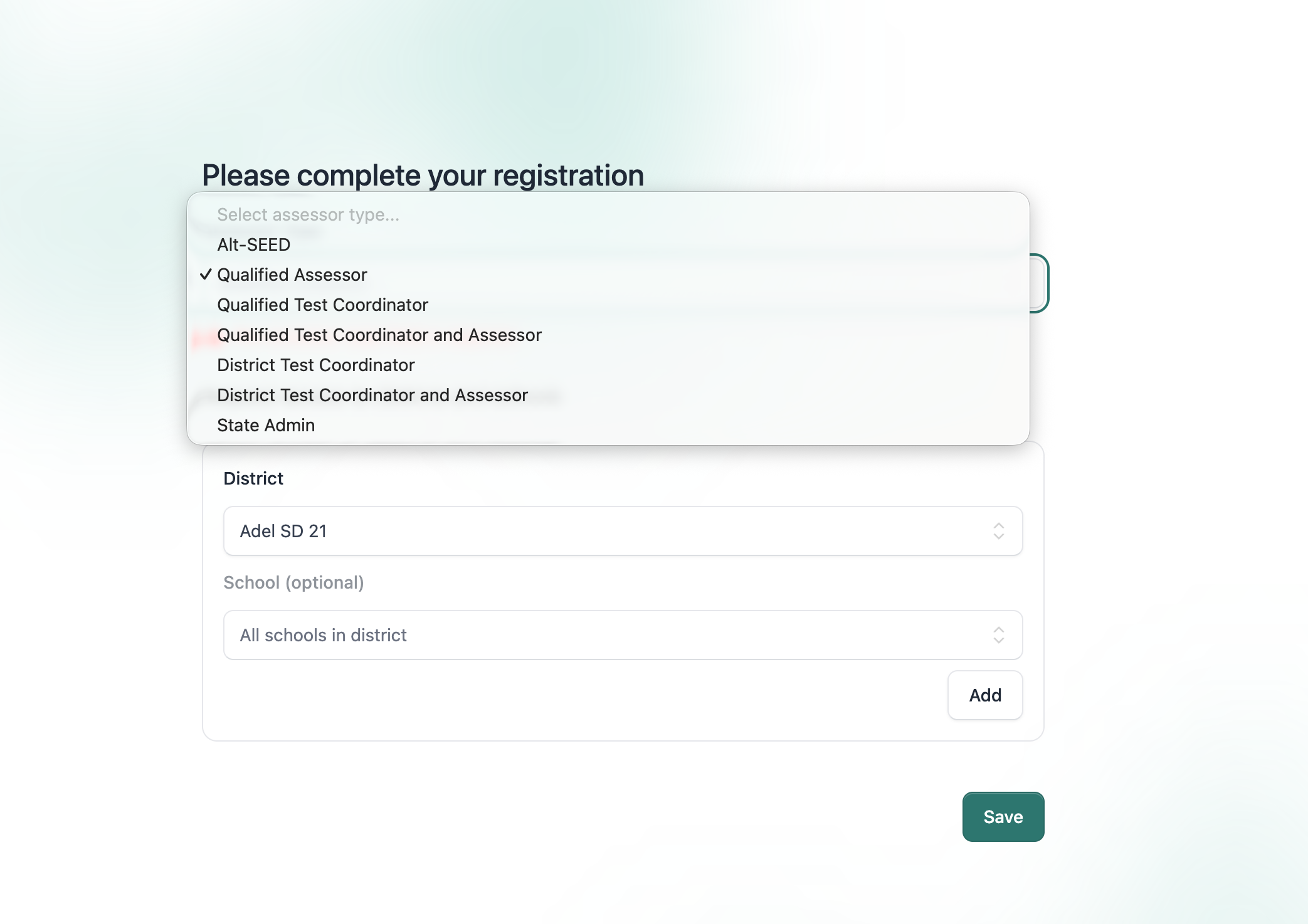
- Complete registration page, selecting district and school
- Select User Status Type
- Click 'Save'
Did this answer your question?
Thanks for the feedback
There was a problem submitting your feedback. Please try again later.
No results found

