Logging into the ORExt Electronic app
Logging Into the ORExt Testing Application
ORExt is web-based. No application download or installation is required.
Access the ORExt Training and Proficiency and testing system through the current ORExt website. Users may bookmark the site or add a shortcut to their device’s home screen for convenience, but this is optional and is not required to administer the ORExt.
Main Login Screen
Go to or.k12test.com and enter Username and Password into the text boxes and select 'Sign In'.
Main Dashboard for the ORExt Testing Application
All electronic tests are found in the 'Testing' section under 'Student Tests'. All rostered students are listed on the Test Students page along with required assessments and optional surveys.
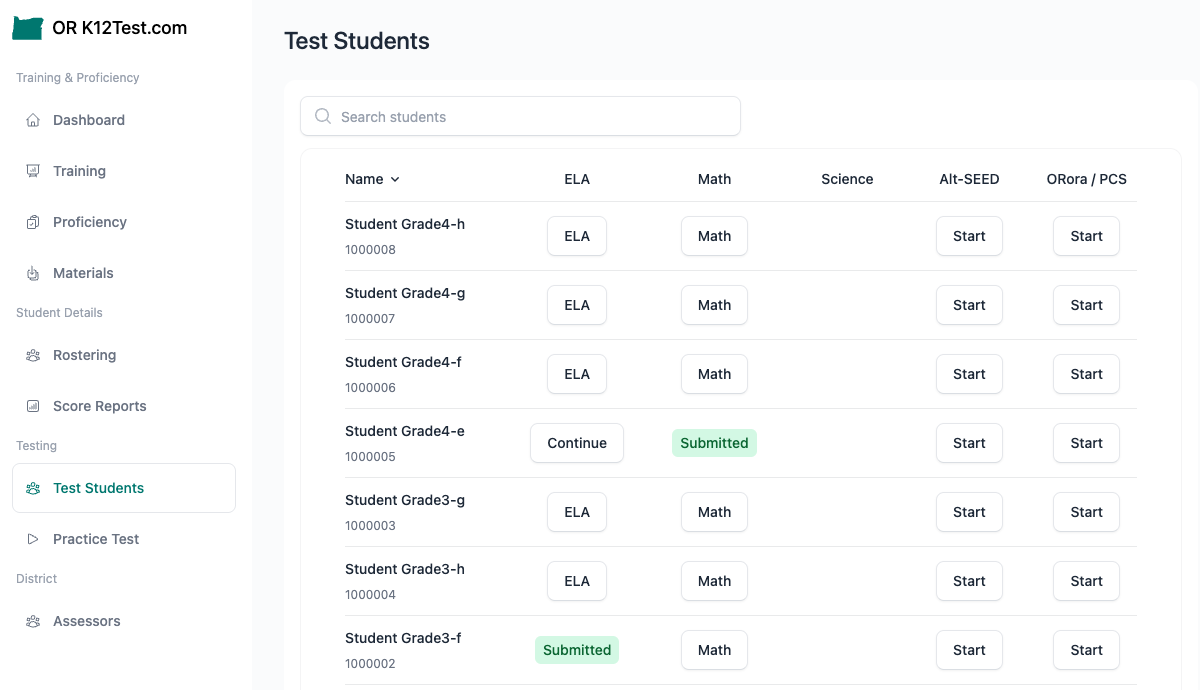
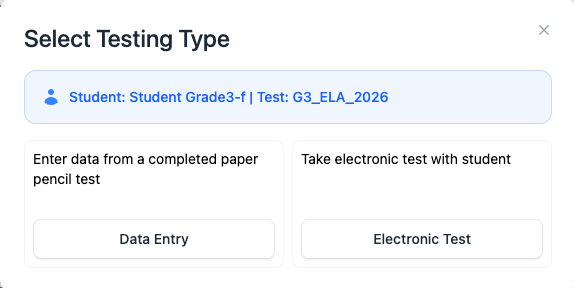
Select the student and subject area test you want to begin with (ELA, Math, or Science) and proceed choose Data Entry for paper/pencil data entry, or Electronic Test to administer the assessment electronically.